 Spendwe
Money, together and in control.
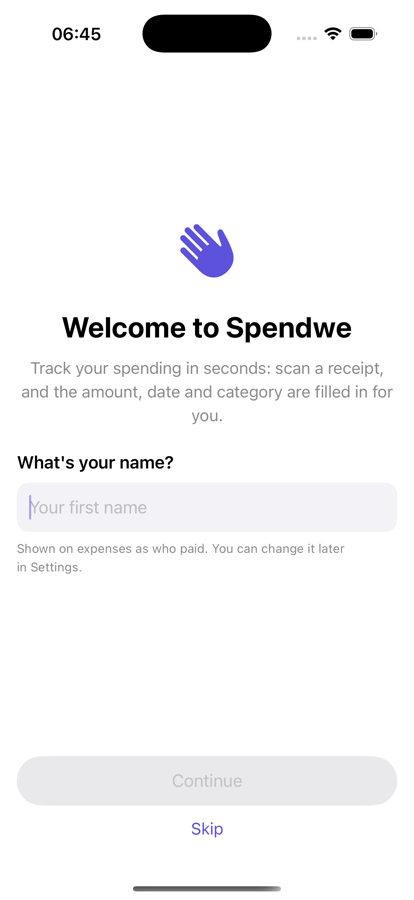
Spendwe turns a photo of a receipt into a tracked expense in seconds — then keeps you and your partner on the same budget, across iPhone and Android. It all works offline, and an account is completely optional.
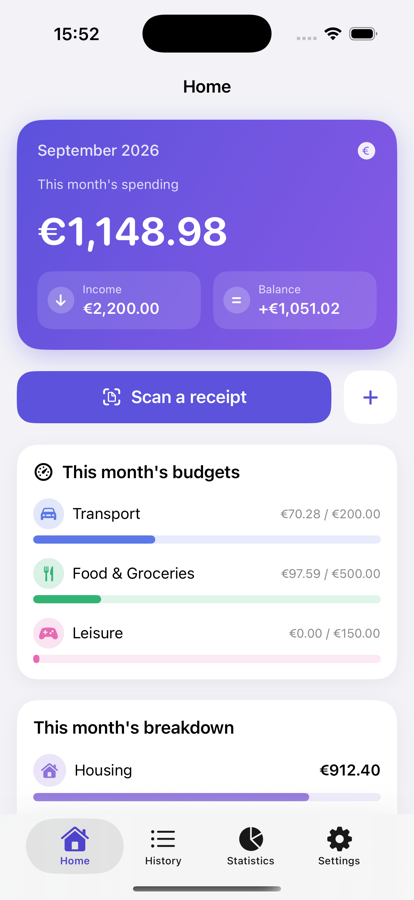
A complete expense tracker — minus the busywork
From the coffee you just bought to a shared monthly budget, Spendwe captures it fast and keeps it organized.
Scan receipts
Snap a photo and Spendwe reads the merchant, amount, date and category for you — even converting foreign-currency receipts automatically.
Import bank statements
Drop in a PDF statement and pull transactions straight into your history — no manual typing.
Budgets & alerts
Set a monthly budget per category and get a heads-up as you approach 80% and again at 100%. No nasty end-of-month surprises.
Rich categories
100+ built-in categories with colors and icons, organized into subcategories — and fully editable to match how you actually spend.
Charts & insights
See where the money goes with clean monthly breakdowns, income vs. balance, and per-category trends.
Smart notifications
Choose exactly what you're told about — a partner's new expense, budget thresholds, weekly & monthly recaps — with quiet hours. Per person, on every device.
Two languages
Fully bilingual — English and French — with light and dark themes and your choice of currency, switchable any time.
Export & import
Your data is yours: export a full JSON backup or a CSV spreadsheet, and bring data in with a ready-made fill-in template.
iPhone, iPad & Android
Native apps for iPhone and iPad, and for Android phones and tablets — with an optional cloud sync that keeps them in step.
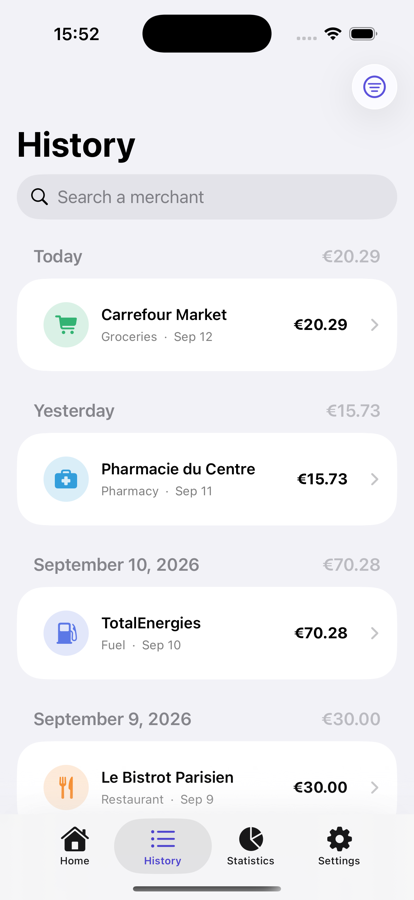
Log an expense before the receipt hits your pocket
Scan it, import it, or tap it in — Spendwe fills in the details and files it under the right category automatically.
- On-device receipt scanning with automatic currency conversion
- PDF bank-statement import for catching up in bulk
- Foreign purchases keep both the original and converted amount
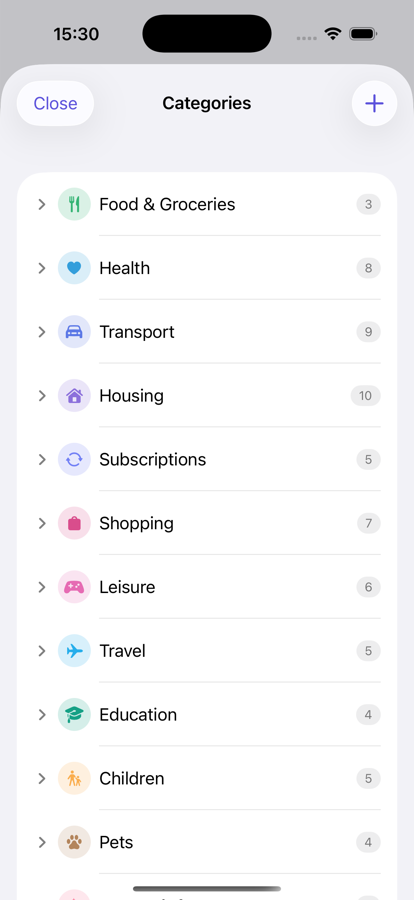
Categories that fit your life, not a template
Start from 100+ thoughtfully designed categories, then rename, recolor, nest and re-order them until they mirror your spending exactly.
- Nested subcategories with their own colors and icons
- Per-category monthly budgets
- Subcategory spending rolls up to the parent budget
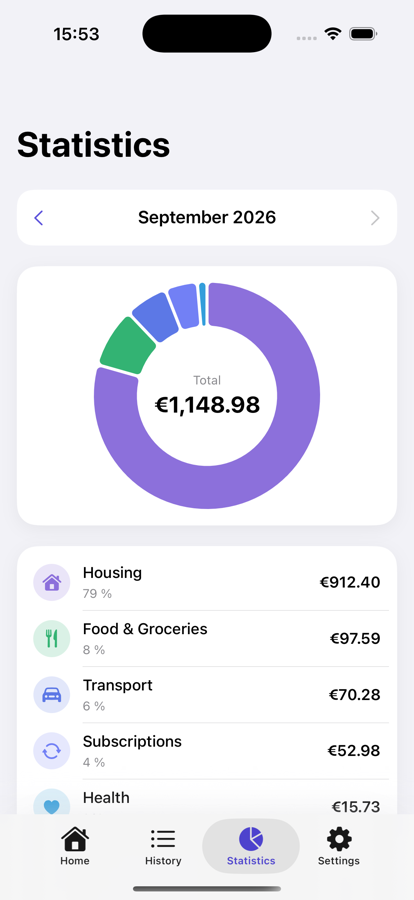
See exactly where the money went
A clear monthly breakdown by category, income versus balance, and the share each category takes of your spending — so the picture is obvious at a glance.
- Monthly totals with month-by-month navigation
- Spending share per category, largest first
- Who paid what, when you share a household
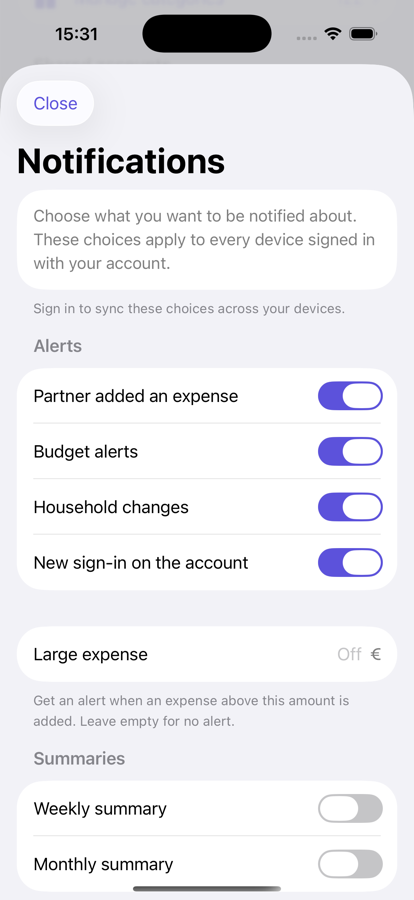
Notifications you actually chose
Every alert is opt-in, per person, and synced across your own devices. Turn on what helps, silence the rest, and set quiet hours so nothing pings you overnight.
- Partner added an expense · budget thresholds · large purchases
- Weekly & monthly recaps and gentle reminders
- New sign-in alerts for account security
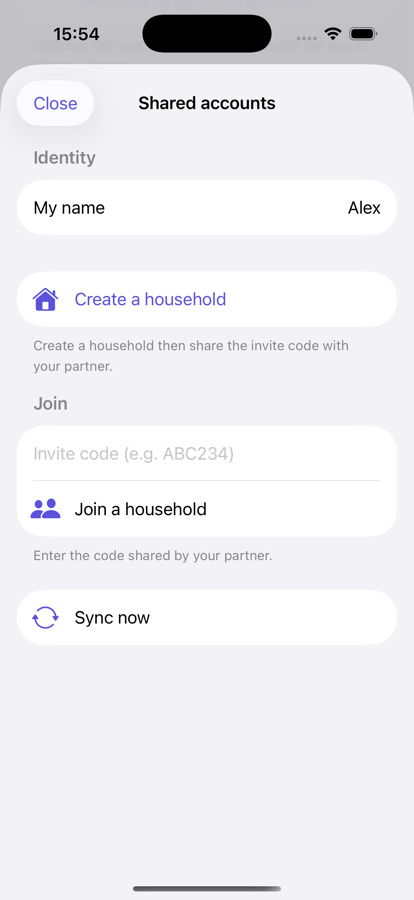
One household, two phones, zero spreadsheets
Link accounts with a one-tap invite and share a single budget. Both partners add expenses from their own phone — iPhone or Android — and see who paid for what, synced in seconds.
Your money is nobody else's business
Spendwe is built to be useful without harvesting you. No ads, no trackers, no selling your data — ever.
No sign-up required
Everything works offline on your device — and you can even share a household with your partner without creating an account. Adding your email is optional.
Passwordless sign-in
Sign in with a one-time email code, or with Apple or Google. There's no password to leak.
Encrypted & access-controlled
Traffic is HTTPS only and cloud data is protected by strict per-user access rules. We never log your tokens or personal details.
Never sold, never mined
Your spending isn't a product. Spendwe doesn't sell or share your data or use it for advertising, and there is no usage tracking — only crash reports, which contain no financial data.
You can always leave
Export a full backup whenever you like, and delete your account and its data in a couple of taps.
No hidden keys in the app
The apps ship without embedded secrets; sensitive credentials live only on secured servers, not in the download.
Frequently asked questions
Is Spendwe free?
Yes. Spendwe is free to use, with no ads. You can track everything without ever creating an account.
Do I need an account?
No. The app works completely offline, and you can even link up with your partner without signing up — Spendwe handles that behind the scenes. Adding your email address is optional: it's what backs your data up, so you can get everything back if you lose, reset or replace your phone, and keep several devices in sync.
How does the couple / household feature work?
One partner creates a household and shares a one-tap invite. The other joins, and from then on both phones — iPhone or Android — share the same budget and expenses, synced through the cloud. You can see who paid for each expense, and either person can leave at any time.
Does receipt scanning send my photos anywhere?
Receipt text recognition runs on your device. Photos aren't uploaded to be scanned. If you use an account, your saved expenses are backed up to your private, access-controlled cloud space.
Can I get my data out?
Always. Export a complete JSON backup or a CSV spreadsheet at any time from Settings. Importing is just as easy, with a fill-in template provided.
Which devices are supported?
iPhone and iPad (iOS 17 and later) and Android phones and tablets. With an optional account, your data stays in sync across them.
How do I delete my account and data?
In the app: Settings → Automatic backup → delete your account. You can also request deletion from our account deletion page.
Start tracking in seconds
Free, private, and offline-ready. Spendwe is coming to the App Store and Google Play.